Instagram Reel to LinkedIn Post Automation
How a content creator went from spending 10+ hours per week writing LinkedIn posts to running their entire content strategy from a simple Google Sheet.
The Client's Challenge
A business coach was creating amazing Instagram Reels that got great engagement. But LinkedIn is where their ideal clients actually hired them. The problem? Repurposing that content for LinkedIn was eating up their entire week.
Here's what their weekly content workflow looked like:
- Create 5-7 Instagram Reels with valuable tips and insights
- Manually rewatch each Reel to understand the key message
- Spend 45-60 minutes per Reel writing a professional LinkedIn post that captured the same value
- Download the Reel, crop it for LinkedIn's format requirements
- Upload everything to LinkedIn and hope they remembered to post consistently
- Track which Reels they'd already repurposed in a messy notes app
Total time spent: 10-12 hours per week just on repurposing. And even then, they'd often forget which Reels they'd already used or miss posting days entirely because the process was so exhausting.
The real cost wasn't just time—it was opportunity. They knew LinkedIn posts drove their consulting bookings, but the manual work made it impossible to post consistently.
The Solution We Built
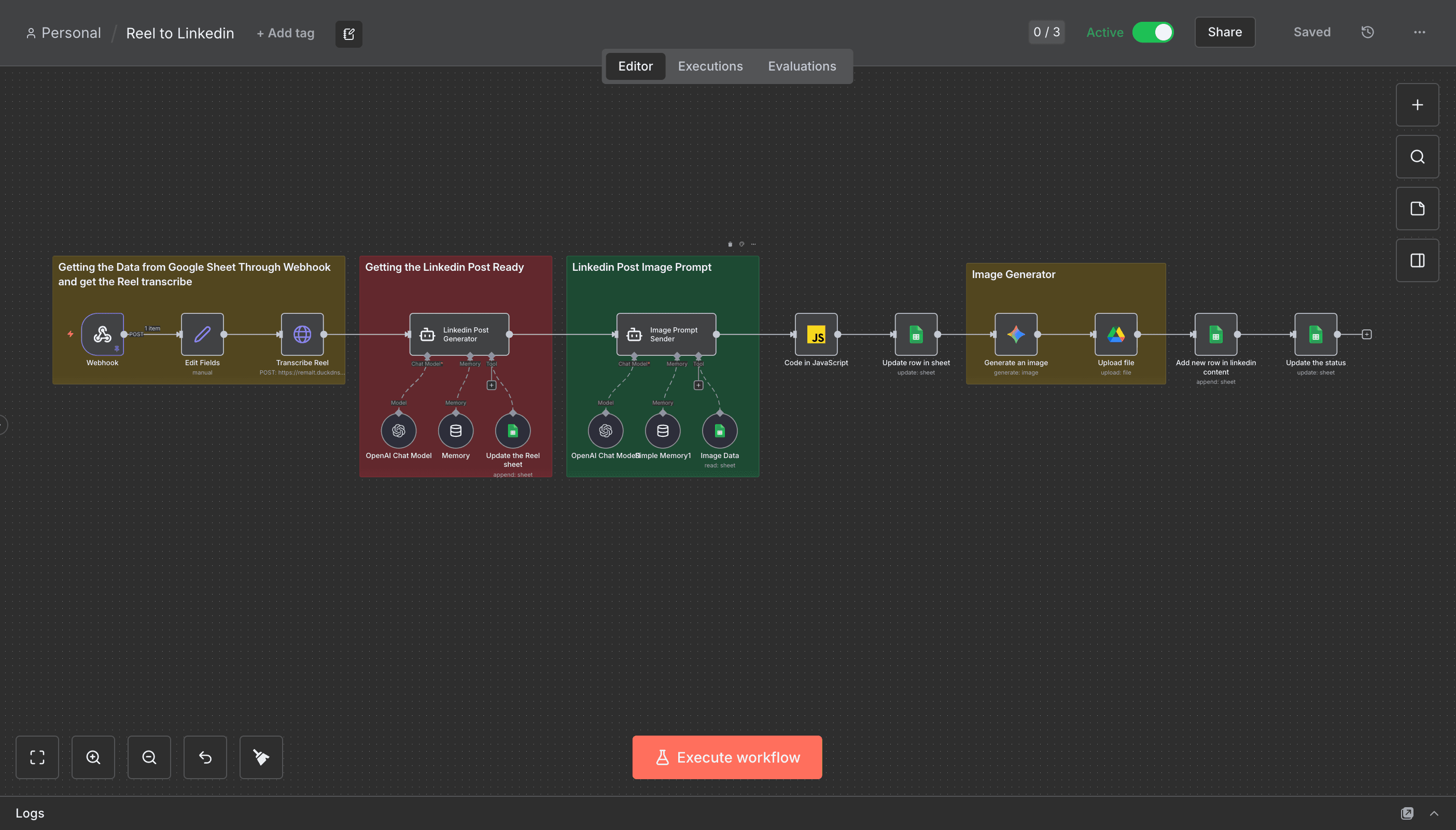
We created a one-click content repurposing system that runs entirely from a beautiful, organized Google Sheet. Here's how simple it became:
The client simply pastes their Instagram Reel URL into the Google Sheet. That's it. The automation handles everything else:
- Automatically fetches the Reel video and all metadata from Instagram
- Uses AI to analyze the video content and core message
- Generates a compelling, professional LinkedIn post in the client's voice
- Optimizes the caption with proper formatting, hooks, and calls-to-action
- Downloads and prepares the video in LinkedIn-compatible format
- Updates the Google Sheet with the generated post, status, and ready-to-use content
- Maintains a clean content calendar so they never duplicate posts
The entire process takes 30 seconds of the client's time—just paste a URL and move on. The AI-generated posts match their tone perfectly because we trained the system on their best-performing LinkedIn content.
The Google Sheet Dashboard
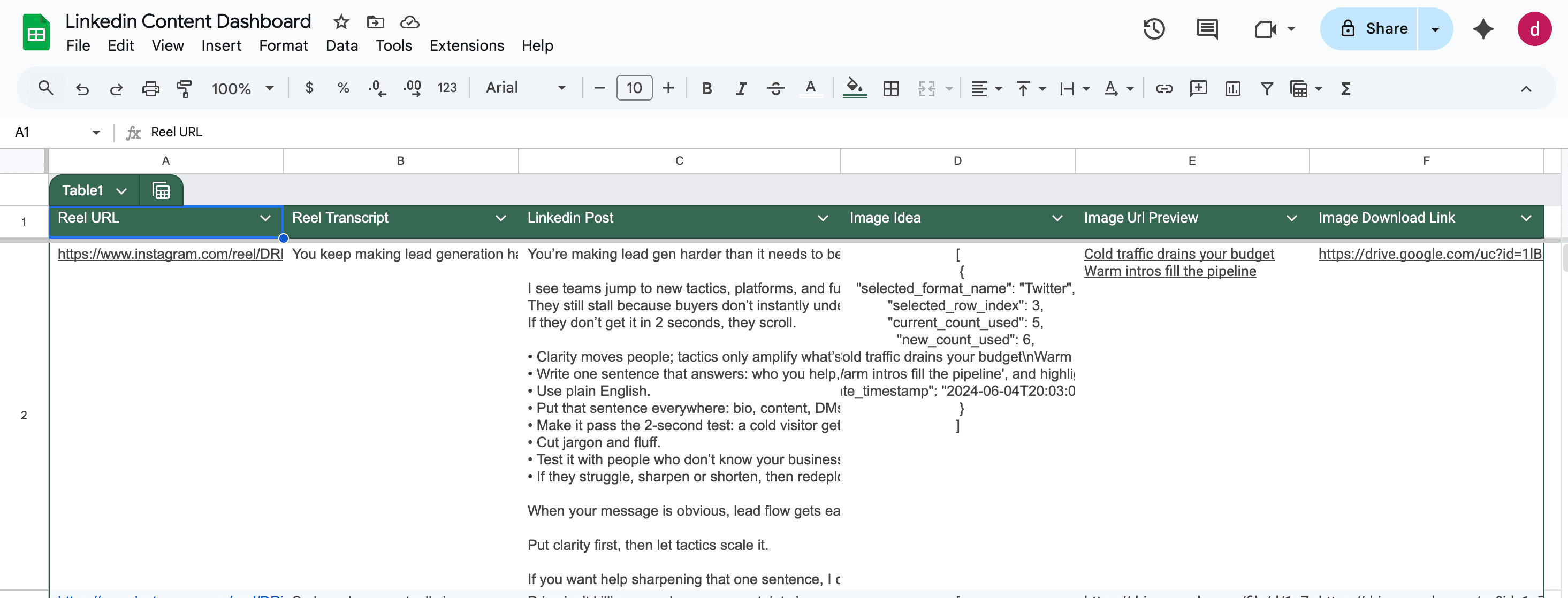
We designed a professional, easy-to-use Google Sheet that serves as their complete content command center:
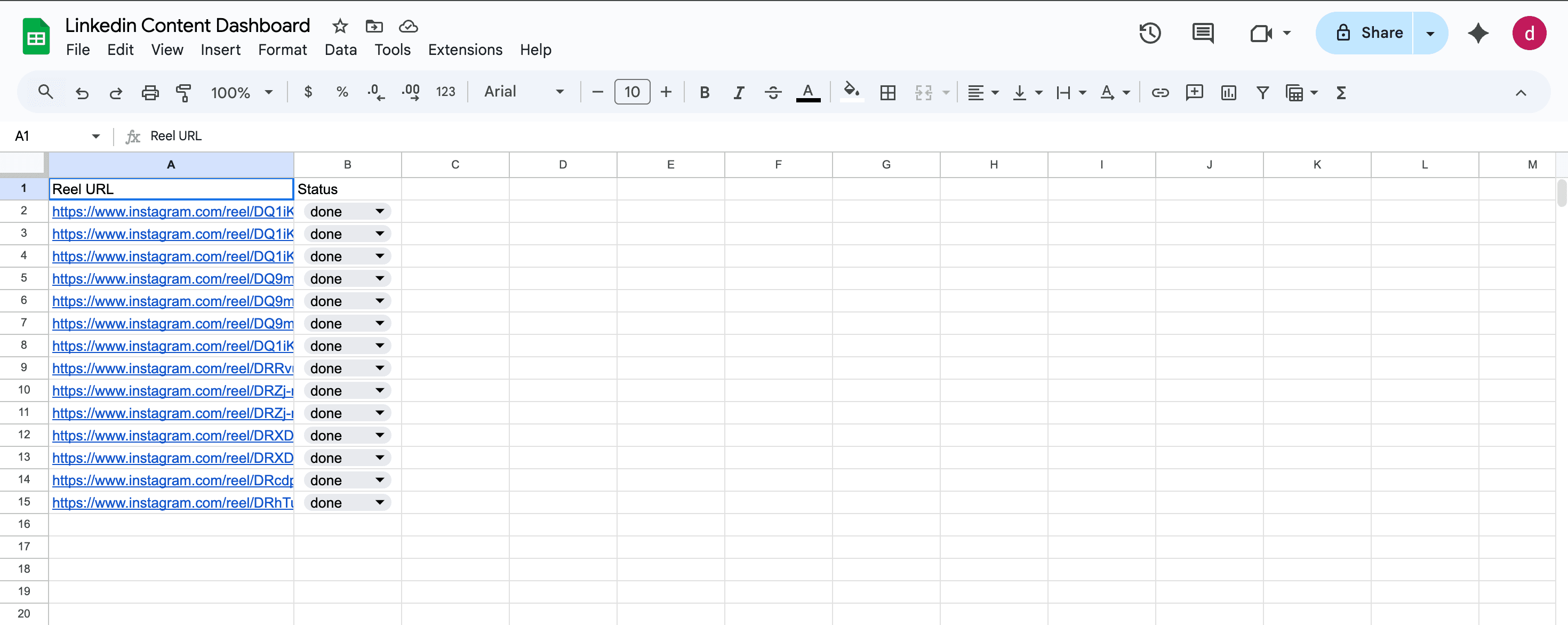
- Simple field to paste Instagram Reel URLs
- Date tracking for content planning
- Status indicators (Pending/Processing/Ready)
- Quick reference to which Reels have been processed
- Fully formatted LinkedIn post ready to copy and paste
- Character count for LinkedIn optimization
- Generated hashtags relevant to the content
- Video download link for easy access
- Performance tracking space for LinkedIn analytics
- Color-coded rows for visual organization
The Workflow in Action
Here's what happens behind the scenes when they paste a Reel URL:
- Step 1: Client pastes Instagram Reel URL into the input column
- Step 2: Automation triggers and fetches the video metadata and content
- Step 3: AI analyzes the Reel's message, tone, and key takeaways
- Step 4: System generates a LinkedIn post optimized for engagement
- Step 5: Post appears in the output column, fully formatted and ready
- Step 6: Client copies, pastes, and posts to LinkedIn in under 10 seconds
The Results
The transformation was immediate and dramatic:
- 10+ hours per week saved (from 12 hours to under 30 minutes)
- Posting consistency went from 2-3 times per week to daily
- LinkedIn engagement increased by 45% due to consistent posting
- Lead generation from LinkedIn doubled within 60 days
- Client can now batch-process an entire month of content in under one hour
- Zero stress about 'what to post today'—content is always ready
- Professional, on-brand posts every single time
The client told us: 'I used to dread repurposing content. Now I paste a URL on Monday morning, and I have a week's worth of LinkedIn posts ready in 5 minutes. My engagement is higher than ever, and I'm actually enjoying the process. This automation has directly led to three new high-ticket clients in the last two months.'
Perfect For
- Content creators who post on both Instagram and LinkedIn
- Coaches, consultants, and service providers building personal brands
- Agencies managing content for multiple clients
- Anyone who knows they should post on LinkedIn but never finds the time
- Creators who want to maximize the ROI of their video content
- Professionals who struggle with writing engaging LinkedIn posts
Investment
$500–$800 depending on AI tone customization, brand voice training, and Google Sheet design complexity. Most clients recoup this investment within the first month through time savings alone—the increased lead generation is pure profit. For context, 10 hours per week at $100/hour equals $4,000+ per month in time value.
What's Included
- Custom Google Sheet dashboard designed for your workflow
- Full automation setup from Instagram to LinkedIn
- AI training on your specific writing voice and style
- Video fetching and format optimization
- Automatic post generation with your brand tone
- Clean, professional Sheet formatting with status tracking
- Content calendar organization system
- Training session on using your new content system
- 30 days of optimization and fine-tuning support
How It Works - Technical Overview
For those curious about what's happening under the hood:
- Instagram integration fetches video content and metadata automatically
- AI analyzes the video context, message, and key points
- Natural language processing adapts the content for LinkedIn's professional audience
- Smart formatting ensures optimal readability and engagement
- Google Sheets API updates everything in real-time
- All processed content is logged for tracking and analytics
The system is fully automated, requiring zero technical knowledge to use. Just paste and go.